Leading Product Design for an Enterprise AI Analytics Platform
I led the product design of an enterprise AI analytics platform, translating complex data workflows into intuitive experiences for analysts and business stakeholders.
- Client
- Shadowfax AI
- Role
- Lead Product Designer
- Focus
- AI Product Design · Enterprise UX · Data Visualization
- Industry
- Data Analytics · AI
- Product
- Webapp
Overview
Shadowfax is an enterprise AI analytics platform that enables analysts to explore complex datasets using natural language while giving organizations a more intuitive alternative to traditional BI workflows.
Over an eight-month collaboration, I worked closely with the Product Owner and Engineering team to improve existing workflows, design new product capabilities, and explore future concepts that simplified how insights are communicated across organizations.
My role
As the sole Product Designer, I led the product design throughout an eight-month collaboration, working closely with the Product Owner and Engineering team. My role ranged from refining existing AI workflows and interaction patterns to conceptualizing entirely new product capabilities, including the Surface and AI-assisted Surface Builder.
Building through prototypes
Throughout the collaboration, I worked primarily in a code-first environment using Cursor, building interactive prototypes that closely replicated the final product. This allowed Product and Engineering to experience complex workflows, validate interactions, and iterate quickly before implementation.
Challenges
Throughout the collaboration, I worked on a wide range of product improvements, from refining existing workflows to designing entirely new capabilities. Rather than documenting every feature, this case study focuses on three challenges that best represent my approach to designing complex AI-powered enterprise products.
- 01 — Keeping advanced enterprise workflows easy to use.
- 02 — Turning Analysis into Actionable Insights.
- 03 — Reimagining Report Creation with AI
01 — Keeping advanced enterprise workflows easy to use
Translating highly technical feature requests into intuitive workflows that remained powerful without becoming unnecessarily complex.
Example — Enterprise data import
As the platform expanded, importing data became significantly more complex. What initially supported simple dataset uploads needed to evolve into a workflow capable of handling multiple datasets, enterprise data warehouses, and more advanced data preparation.
The challenge wasn't simply adding new functionality. Every new capability introduced additional complexity, and the import experience needed to scale without becoming overwhelming. Instead of exposing every option upfront, the workflow had to accommodate both quick imports and advanced use cases while keeping users focused on their primary goal: getting data into the platform as efficiently as possible.
Design decisions
Support different entry points. Users could quickly upload local datasets or connect directly to enterprise data warehouses such as Snowflake.
Scale the workflow progressively. New capabilities were introduced without increasing the cognitive load for simpler tasks.
Keep users focused on their goal. Advanced configuration, metadata generation, and SQL remained available when needed, but never became obstacles for completing a basic import.
The outcome
The final experience introduced two clear entry points: manual uploads for quick imports and Connections for enterprise data sources such as Snowflake. Using progressive disclosure, users could start with a simple import and gradually access more advanced capabilities, including data preview, metadata editing, SQL, AI-generated descriptions, and creating multiple versions of the same dataset when needed.
Collaboration & trade-offs
One of my initial proposals was to let users upload multiple datasets and instantly preview any of them before importing. The idea was to remove the repetitive upload-review-import cycle by allowing users to review every dataset from a single workflow.
As we explored the concept with Engineering, we realized that automatically loading and preparing every dataset in the background would significantly increase the complexity of the implementation. Large datasets could impact performance, memory usage, and loading times, especially when multiple files were uploaded simultaneously.
Rather than abandoning the idea, we worked together to find a solution that delivered most of the user value while remaining technically feasible.
02 — Turning Analysis into Actionable Insights
Creating a dedicated experience that helped analysts communicate complex findings through clear, structured, and visually engaging reports.
Challenge
The DAG was a powerful environment for exploring data, but it wasn't designed to communicate the outcome of an analysis. While analysts could generate dozens of tables and visualizations, business stakeholders needed a much simpler way to understand the key findings and the story behind them.
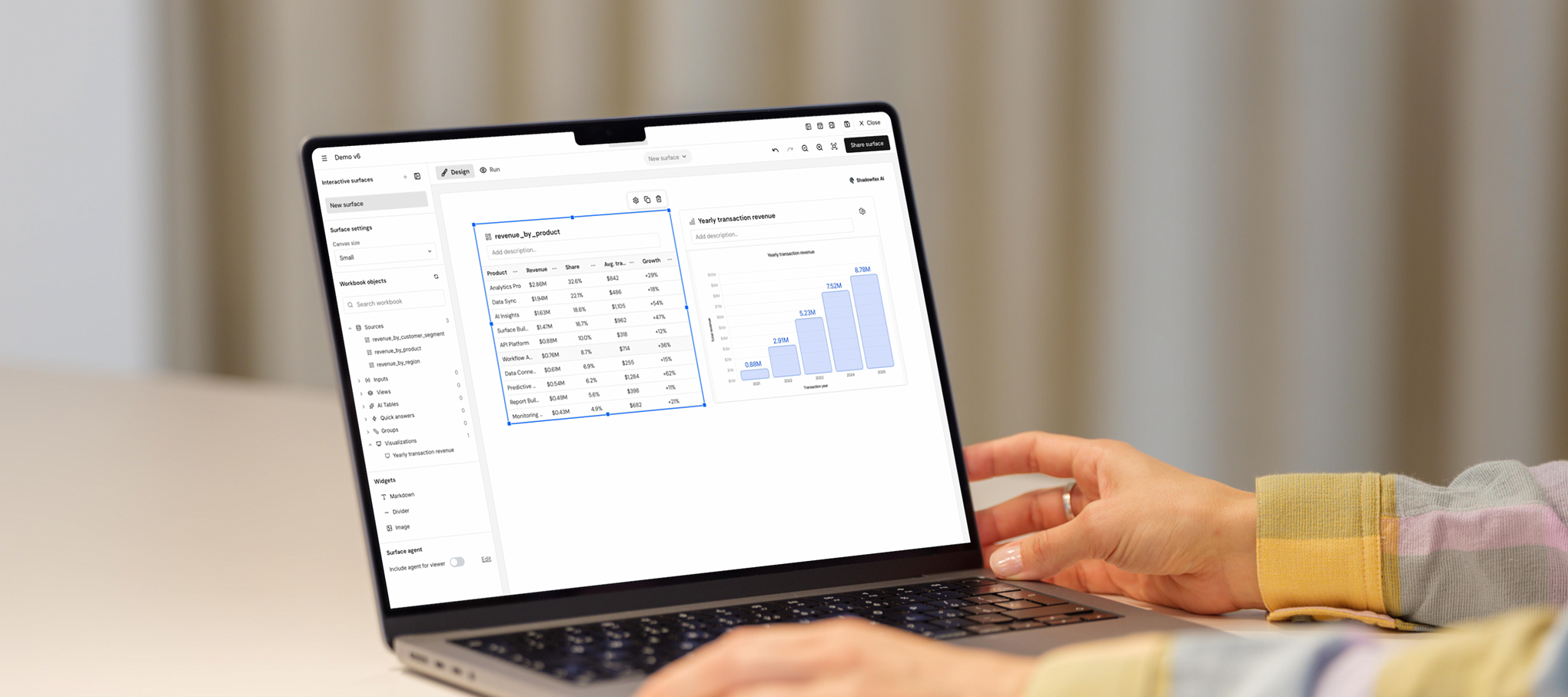
Working closely with the Product Owner, we explored how analytical work could be separated from communication, leading to the concept of Surface: a dedicated space where analysts could transform their findings into a visual narrative tailored to different audiences.
The outcome
Rather than extending the DAG with presentation features, we designed Surface as a complementary workspace focused on communication. Analysts could combine charts, tables, and written explanations into a flexible layout that made complex analyses easier to understand and share.
Designing the relationship between the two workspaces became just as important as designing Surface itself. One example was how users transferred content from the DAG into their narrative. Instead of forcing them to search through dozens of previously created assets, I proposed allowing users to add charts and tables to the Surface directly from the DAG, at the moment they created them. This reduced cognitive load, simplified the workflow, and avoided the need for a more technically complex asset browser.
03 — Reimagining Report Creation with AI
Exploring how AI could accelerate report creation while giving users full control over the narrative, content, and final outcome.
Challenge
While the Surface made it easier to communicate analytical insights, creating reports still required analysts to manually organize content and build the final narrative. We saw an opportunity to use AI not just to generate content, but to simplify the entire report creation process.
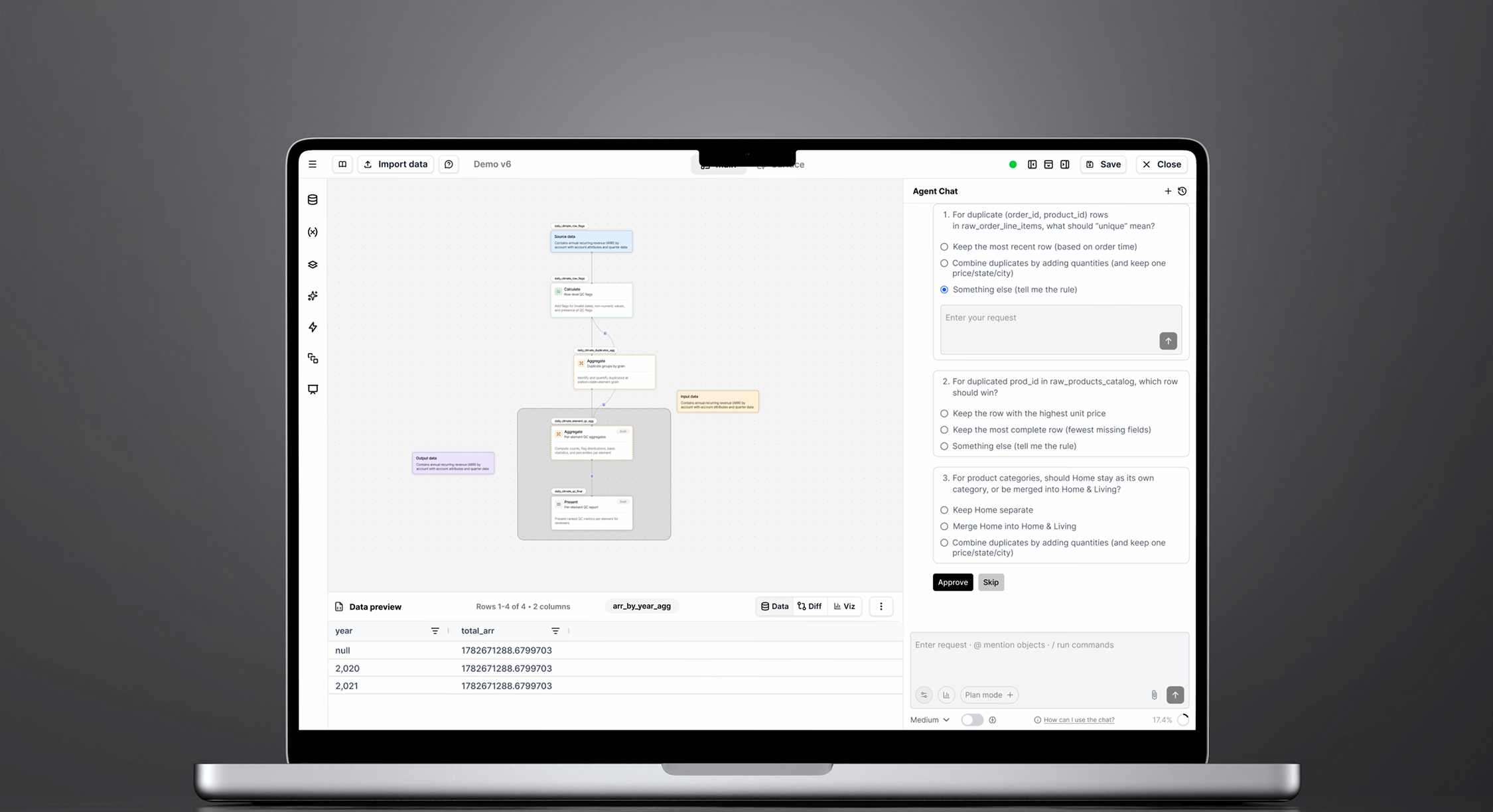
Working closely with the Product Owner, I helped conceptualize Surface Builder, an AI-assisted workflow that guided users from a simple objective to a fully structured report, while ensuring they remained in control of every important decision.
The outcome
Instead of asking users to build a Surface from scratch, the experience began with a natural language prompt describing the report's objective. Based on that input, the AI generated an outline with proposed sections, supporting visualizations, and written content.
Rather than immediately creating the final report, users could review and refine the outline first. They could reorder sections, editing copy, replacing suggested content, and shaping the narrative before generating the Surface. This created a collaborative workflow where AI accelerated the process without replacing the user's judgment.
Iterating with engineering
One of the key design trade-offs involved balancing speed, transparency, and system performance.
An early concept allowed users to preview every suggested visualization while reviewing the outline. However, generating every chart before the report was built introduced significant engineering complexity and increased loading times.
Instead, I proposed an on-demand preview model, allowing users to inspect individual visualizations only when needed. This kept the workflow fast while still giving users confidence in the AI's recommendations before generating the final Surface.
Key takeaway
Designing AI products isn't just about introducing automation, it's about deciding when AI should take the lead and when users should remain in control. By combining natural language with structured interactions and selective previews, we created a workflow that felt faster without sacrificing transparency or trust.